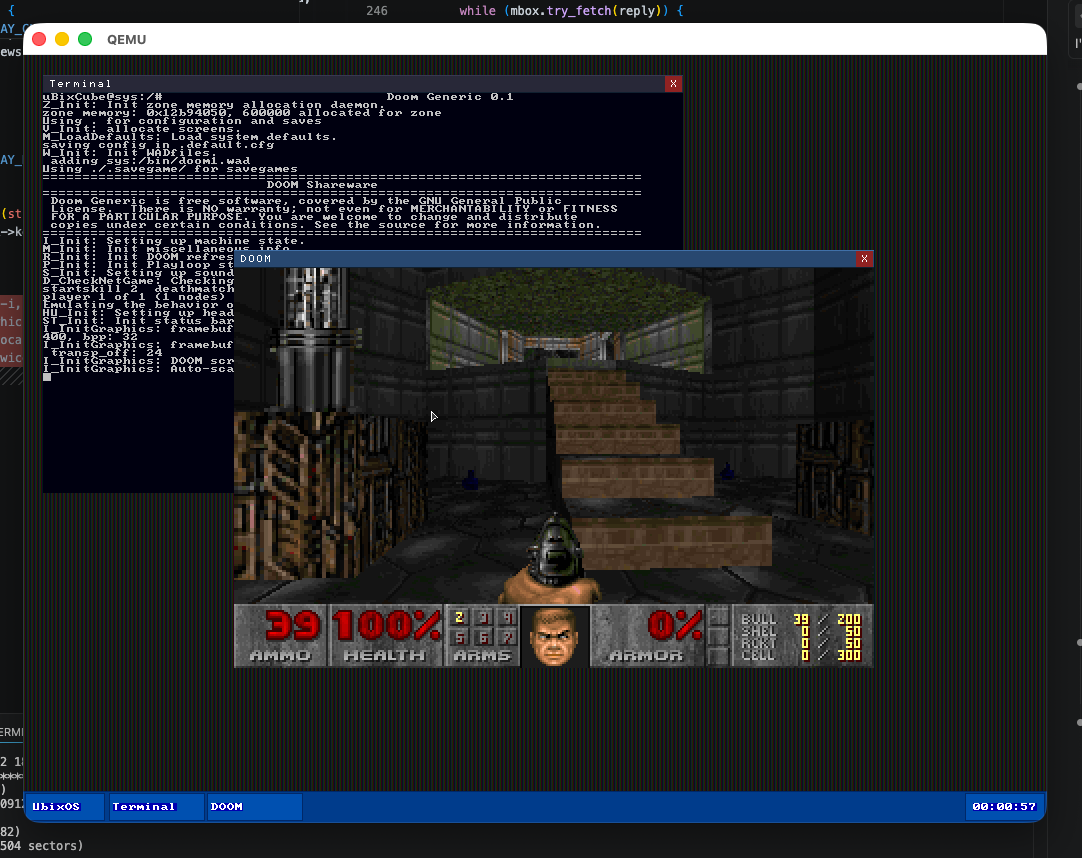
The moment uBixOS earned its stripes. Doom running windowed inside the Views compositor — WAD loaded from a FAT partition, keyboard handled by the USB HID driver, audio through AC97. This screenshot represents the first time all those subsystems worked together.
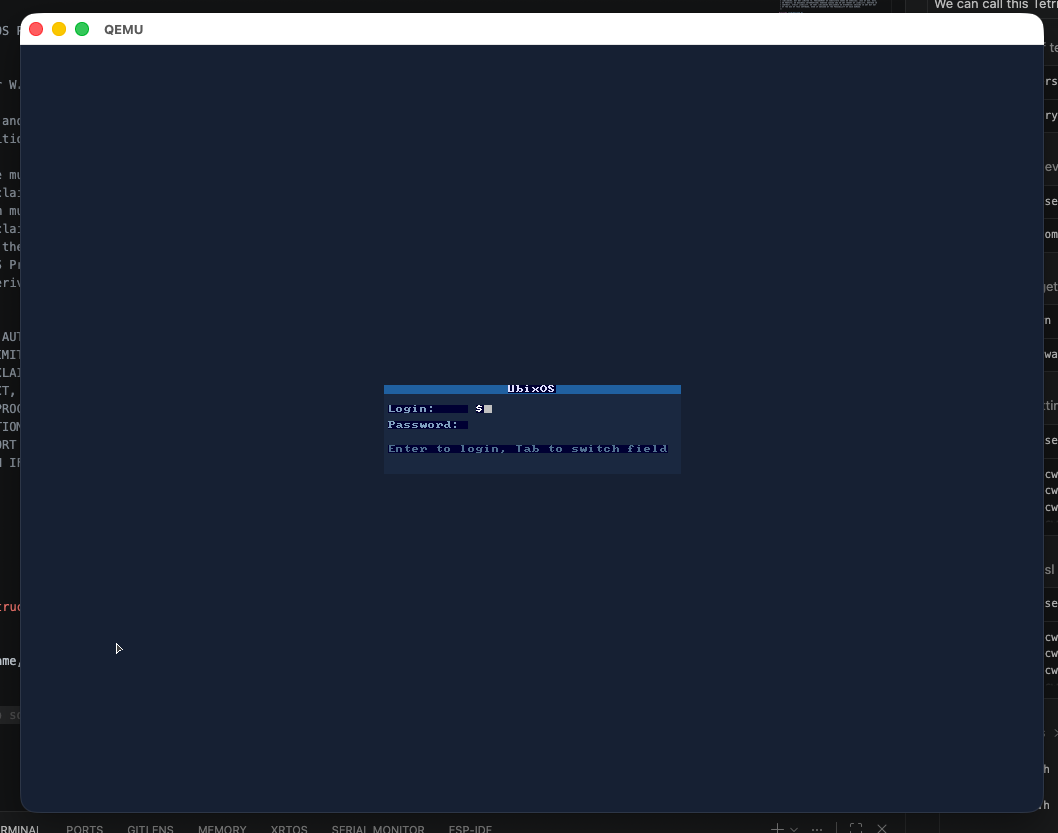
The Views compositor login screen. A full graphical login flow on a homebrew kernel — username prompt, session initialization, and hand-off to the desktop environment. The VGA framebuffer compositor renders per-pixel alpha for the window chrome.
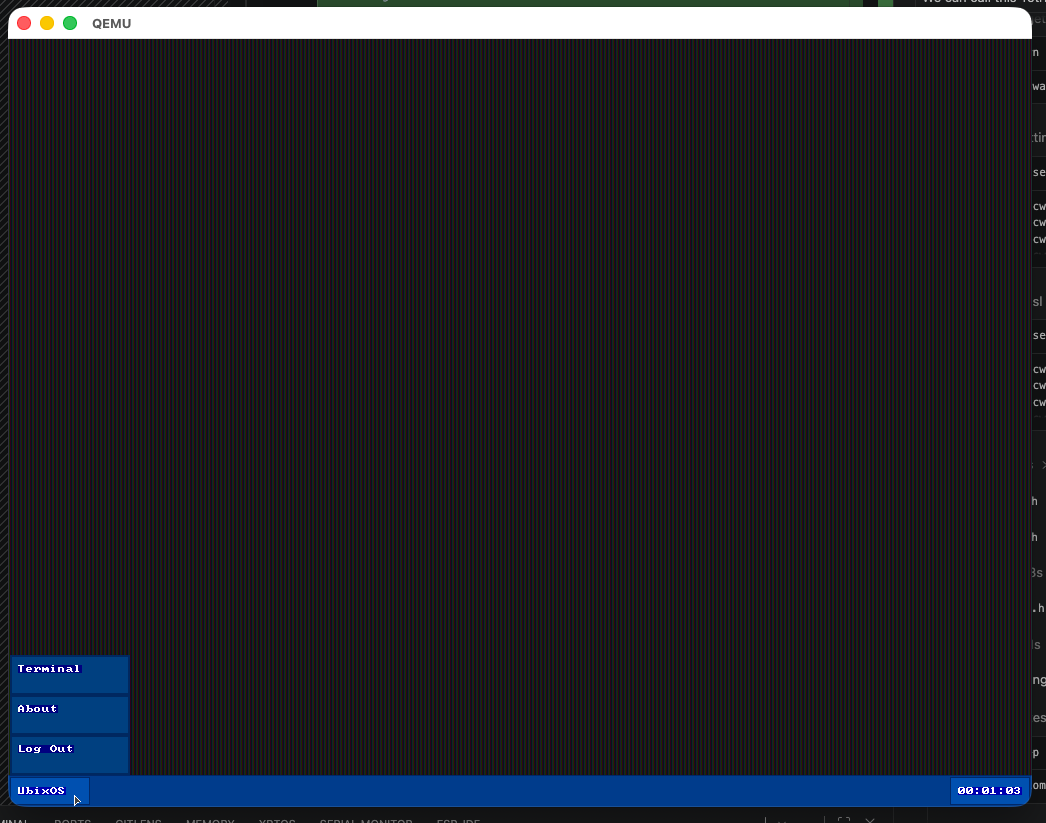
The uBixOS taskbar with the application launcher open, showing Terminal, About, and Log Out. Clicking "Terminal" spawns a tcsh session. The taskbar sits above all windows and is drawn by the Views compositor on every frame.
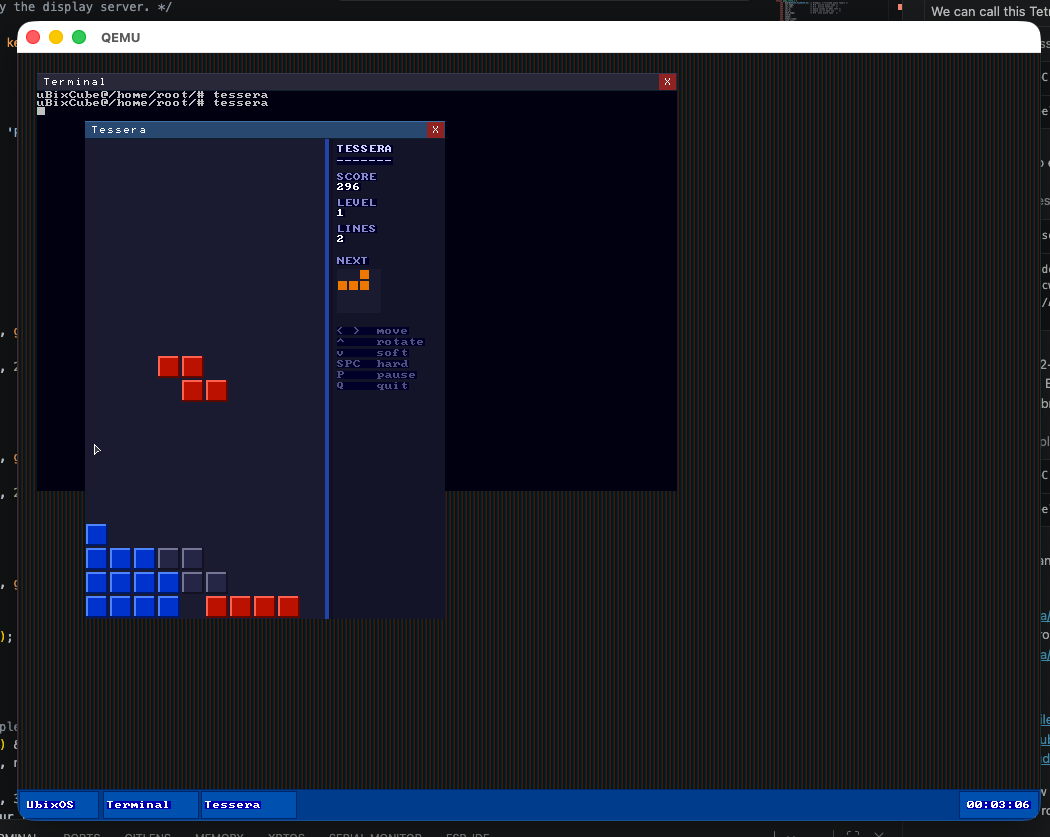
Tessera is a Tetris-inspired puzzle game written for the Views compositor. It runs as a proper windowed application — keyboard input, score display, and game loop all handled inside a GUI window alongside the rest of the desktop.
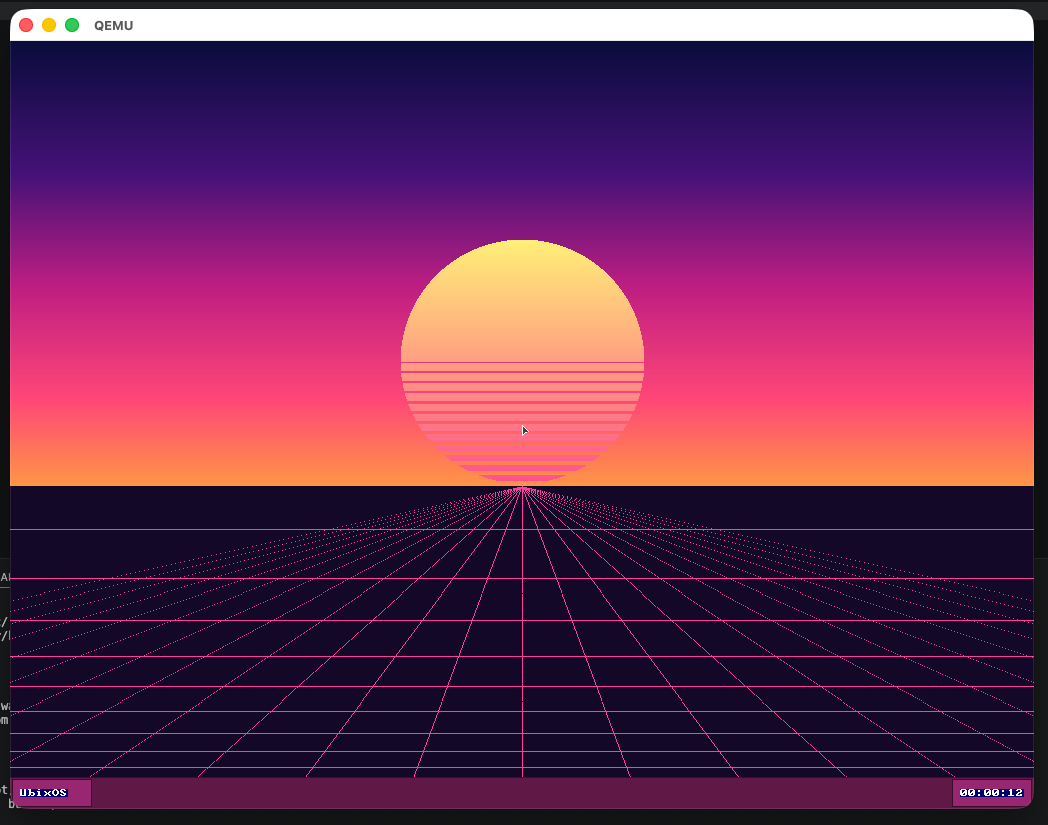
The new desktop environment booting into the "miami" synthwave wallpaper — an original procedural background (gradient sky, sun, and perspective grid, no third-party assets) rendered straight from the registry. The taskbar and window chrome pull their magenta-purple palette from a single per-user accent color.
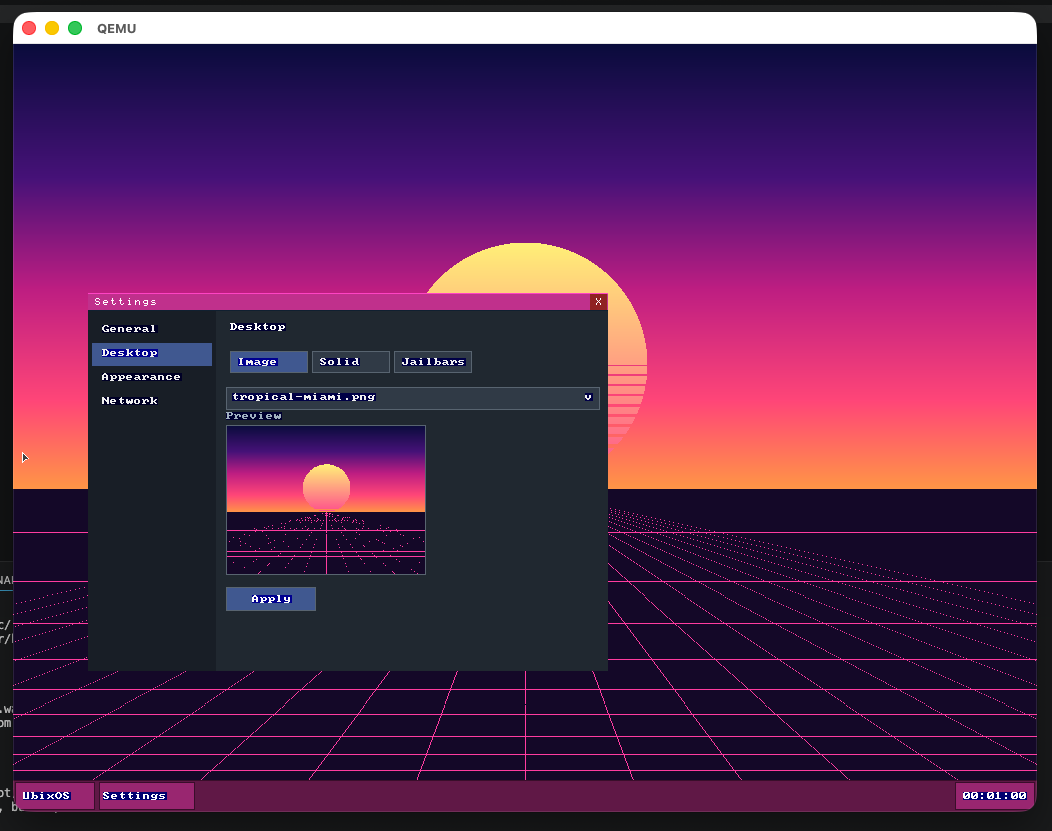
The Settings app, modelled on macOS System Settings: a category sidebar (General, Desktop, Appearance, Network) with the chosen pane on the right. The Desktop pane offers Image / Solid / Jailbars background modes, a wallpaper dropdown with a live preview thumbnail, and an Apply button. Every choice is stored per-user in the ubistry registry.
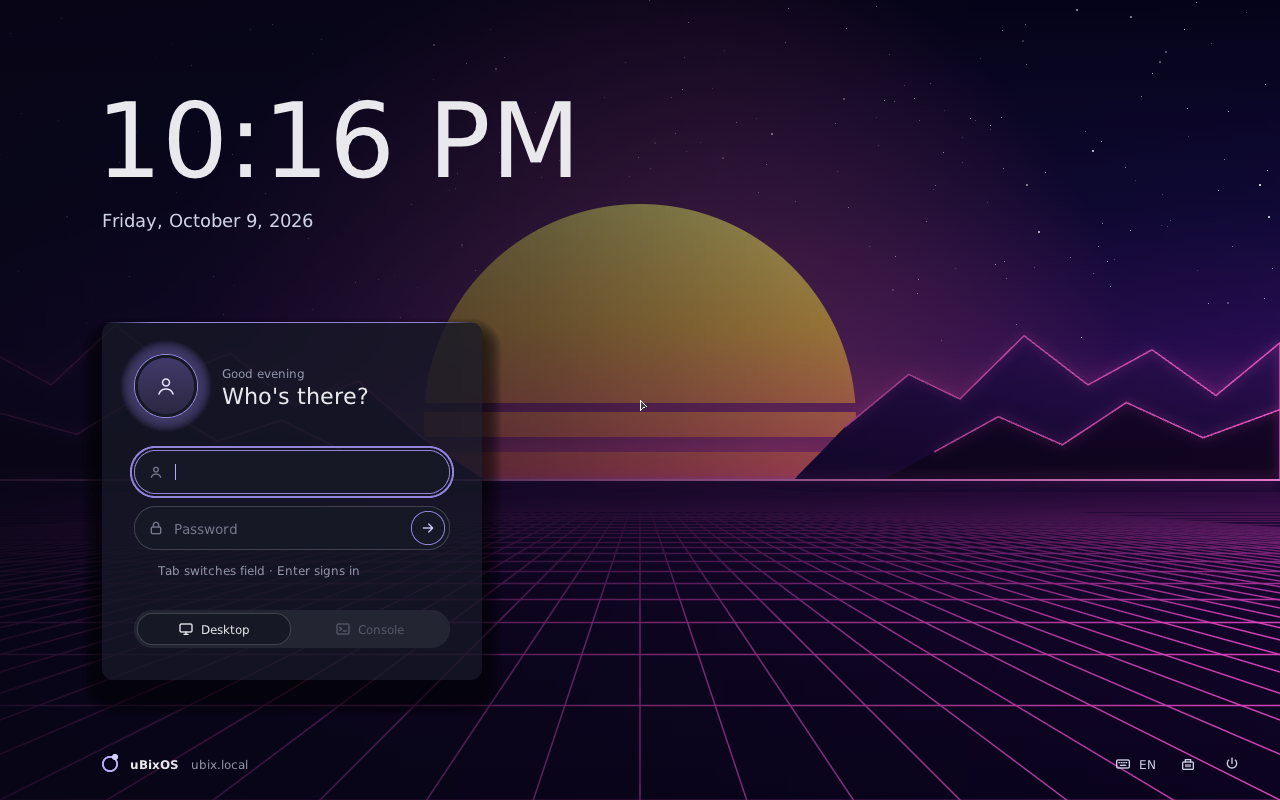
The redesigned sign-in screen, captured on the 64-bit ARM build under QEMU. A big clock and date over a dimmed wallpaper, a sign-in card that remembers the last user, and a footer with restart / shut-down. The whole desktop now draws from one theme — dark or light, with a per-user accent colour.
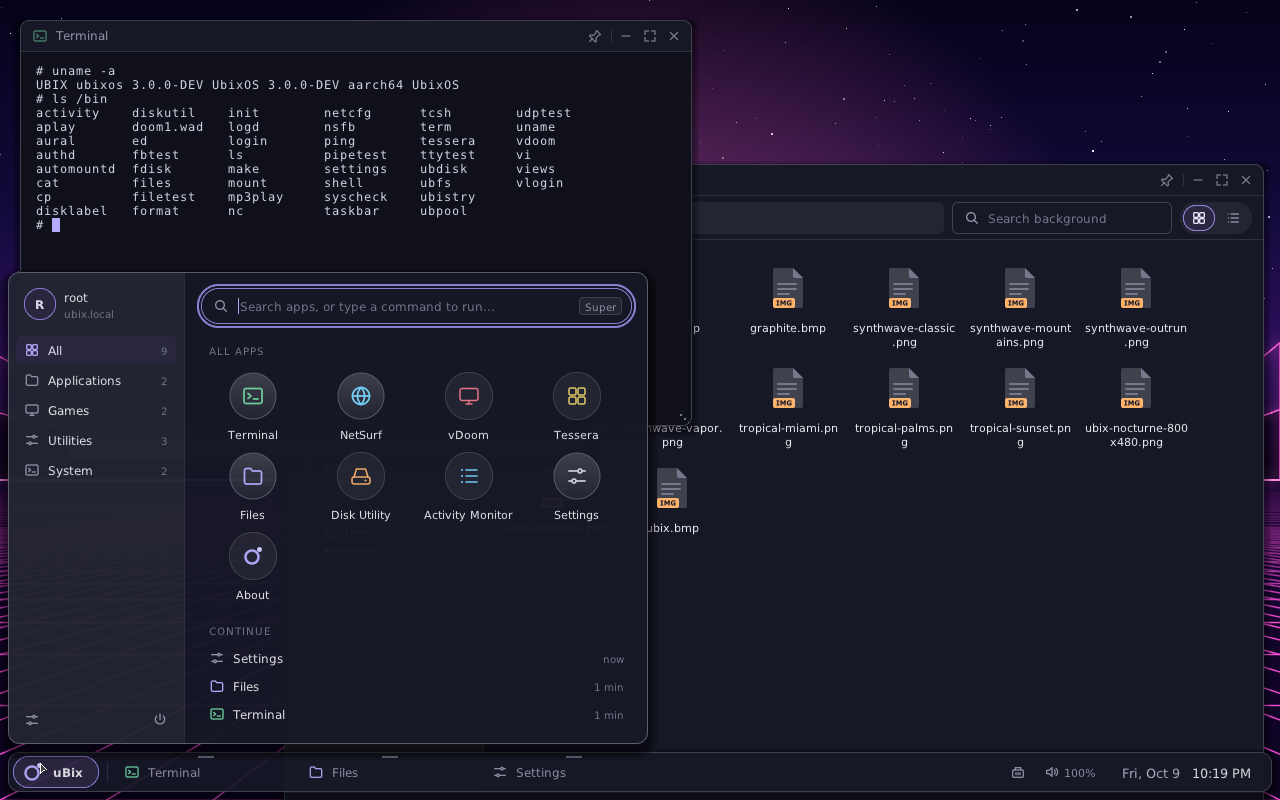
The old cascading start menu is gone. The uBix launcher (or the Super key) opens a category rail, a type-to-search field that also runs commands, the app grid, and a “Continue” list of recently used apps. Log out, restart and shut down live behind the power button.
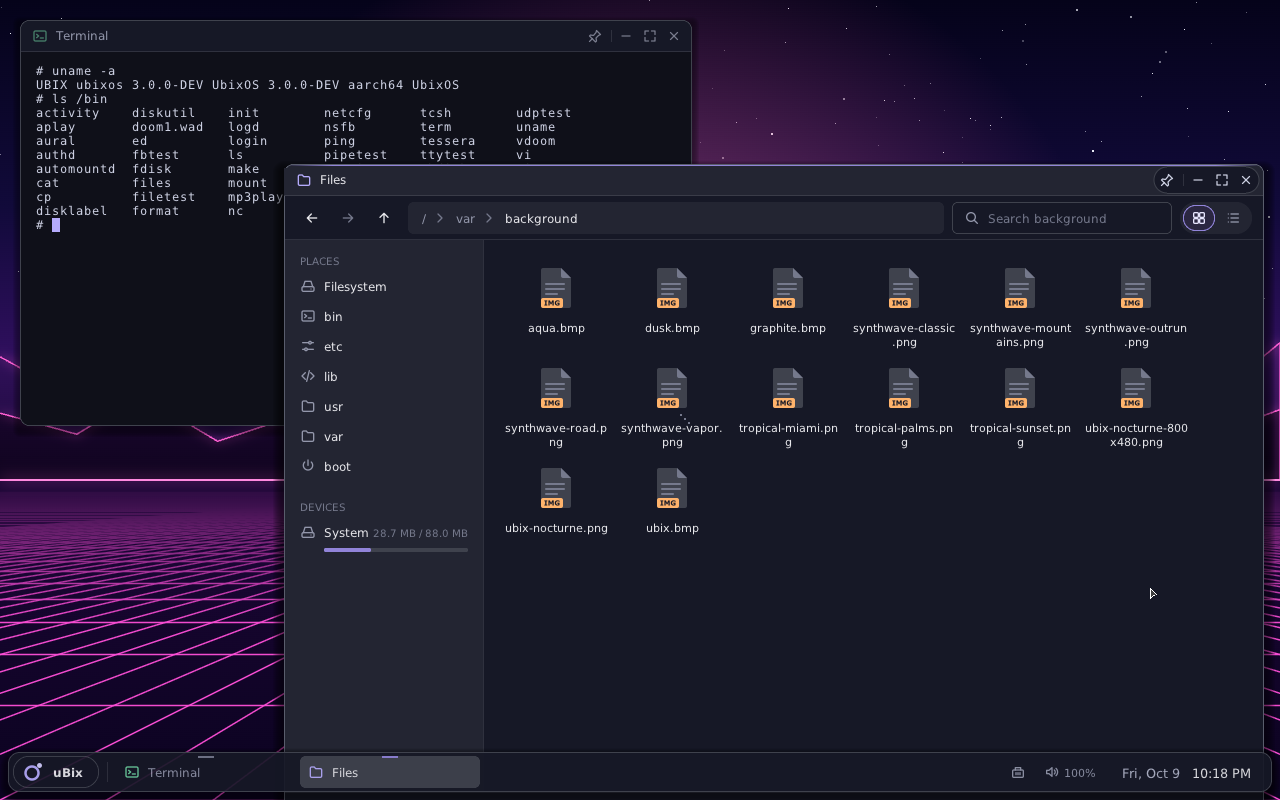
A tcsh session reporting UBIX ubixos 3.0.0-DEV aarch64 beside the new
Files app: breadcrumbs, live search, grid and list views, file-type icons, and a
Places / Devices sidebar showing the UbixFS pool. Windows get rounded frames,
soft shadows, a keep-on-top pin and resizing from any edge; the floating taskbar
is translucent and shows each running app.
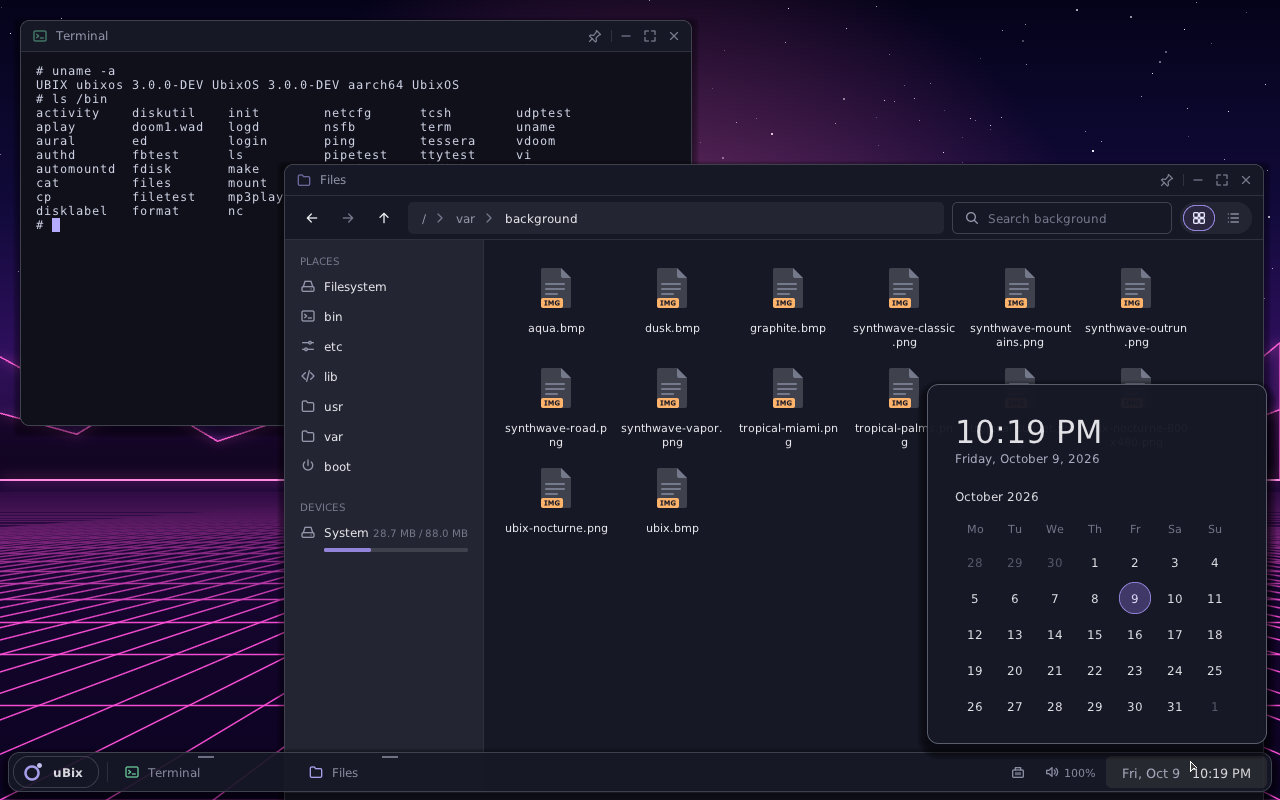
Clicking the clock opens a month calendar; the speaker opens a volume pop-over with live per-app levels (sound plays through virtio-sound on ARM64), and the network icon jumps to Settings. Pop-overs are true translucent windows — the compositor now blends per-pixel alpha.
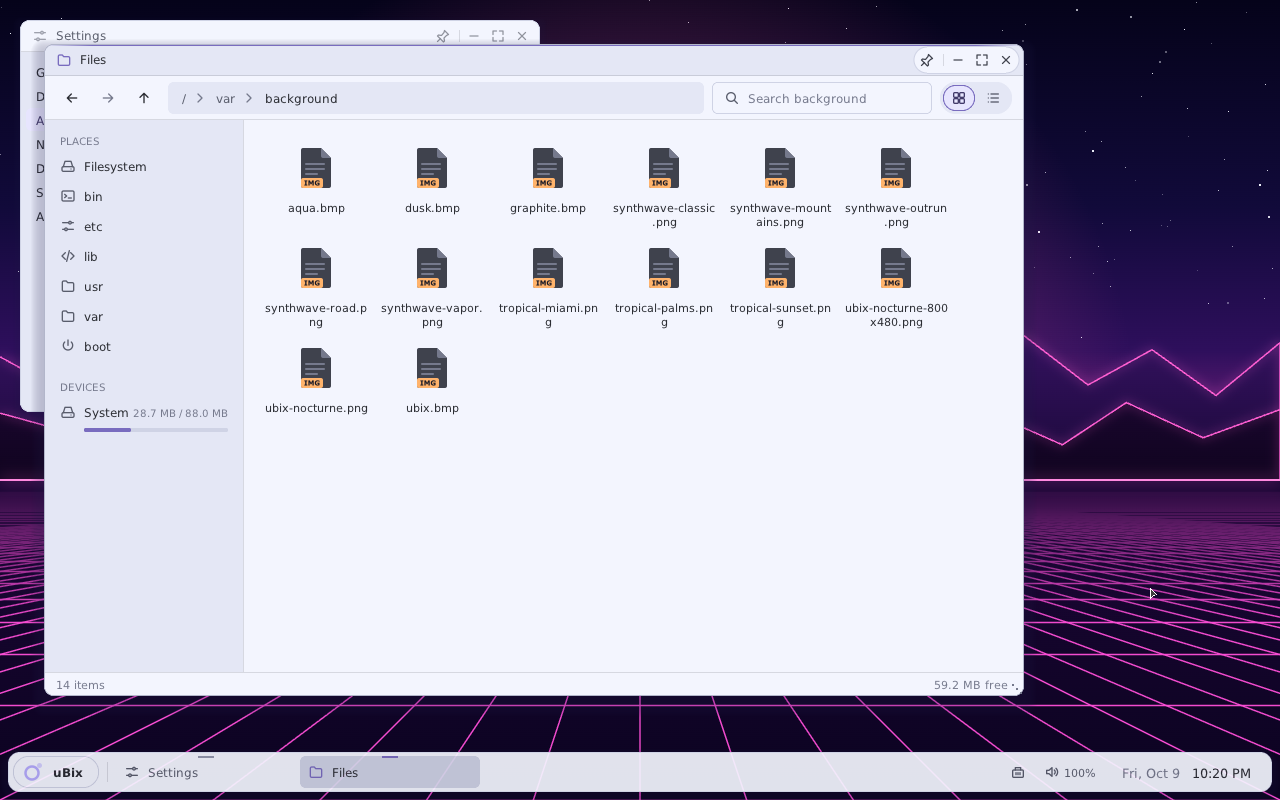
Settings → Appearance flips the whole desktop between dark and light: window chrome, taskbar, launcher, Settings, Files and the rest follow at once. Light/dark is a system-wide signal apps can follow or ignore — the terminal deliberately stays dark.
Shots 1–6 were captured on the classic i386 build; 7–11 show the new desktop on ARM64. Captures of the x86_64 desktop and the NetSurf web browser rendering a live page are on the way.
CLICK ANY SCREENSHOT TO ZOOM